

Smulders Group: connecting engineering planning and production deadlines with GanttPRO
“After we moved our planning to GanttPRO, we soon noticed a big difference. The Gantt chart and shared link gave everyone the same view of the plan, making it much easier to communicate the work, identify delays, and highlight missing inputs.”
A story about a construction company connecting engineering planning, production deadlines, and resource availability in a shareable framework.

Company overview
Company: Smulders Group
Roles interviewed: Prashanth Mysore, Technical Manager
Project types: construction projects involving engineering, producing, delivering, and assembling heavy, technically complex steel structures
External pressures: production deadlines, cross-team dependencies, resource conflicts across several activities at once
Tool history: Excel
Problems hinted at: limited visualization and decentralized planning in Excel
Summary
Company Background
What does your company focus on?
Smulders is a multidisciplinary construction company with extensive experience in engineering, producing, delivering, and assembling heavy, technically complex steel structures. Smulders’ focus is on civil and industrial projects involving steel, as well as offshore wind energy. Through engineering, manufacturing, and systems integration, they deliver end-to-end solutions with the mission of building a more sustainable world. The team handles multiple initiatives simultaneously, with each project typically lasting from six months to three years.
Prashanth Mysore, Technical Manager at Angus (Part of Smulders group), shares what value GanttPRO brings to the planning and coordination of engineering work across construction, resources, and production deadlines.
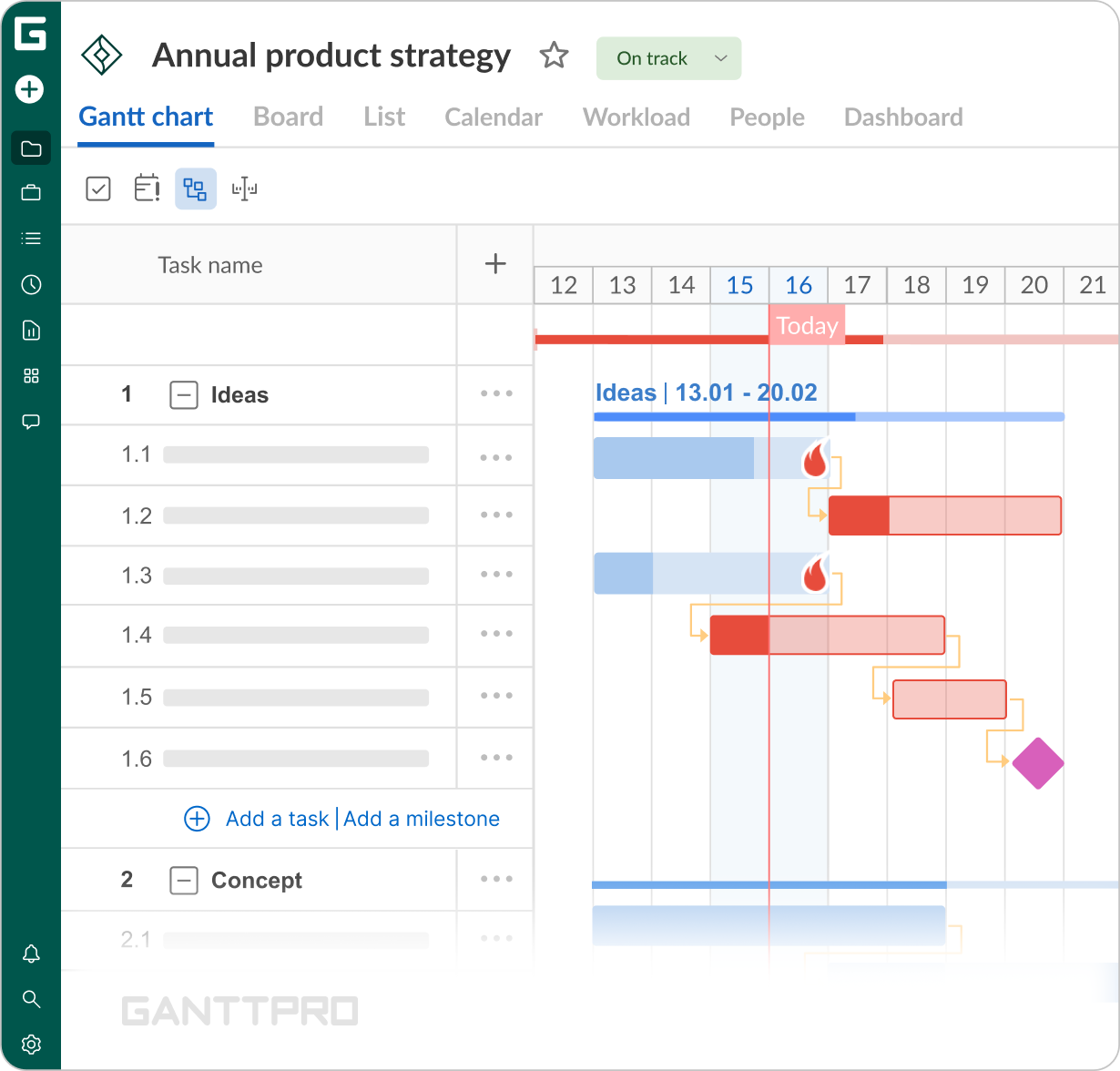
Making sure all of those inputs arrive on time is the area where GanttPRO has helped me a lot. I can show all the elements we need before we start and define deadlines in the plan.
Struggle
How did your approach look before GanttPRO?
“Before GanttPRO, we used Excel lists. The main problem was the data – it was decentralized as everyone could have their own version of the file, and project layout was poorly visualized.
Another issue is that once you send an Excel file to someone, they add their changes, then another person adds something else, and eventually you can end up with something quite different from where you started. There was no real standardization or a consistent template.”
Prashanth also has experience with Microsoft Project, Oracle Primera Cloud, and Asana. From all the tools he found GanttPRO “the easiest to learn as it has a very short learning curve”.
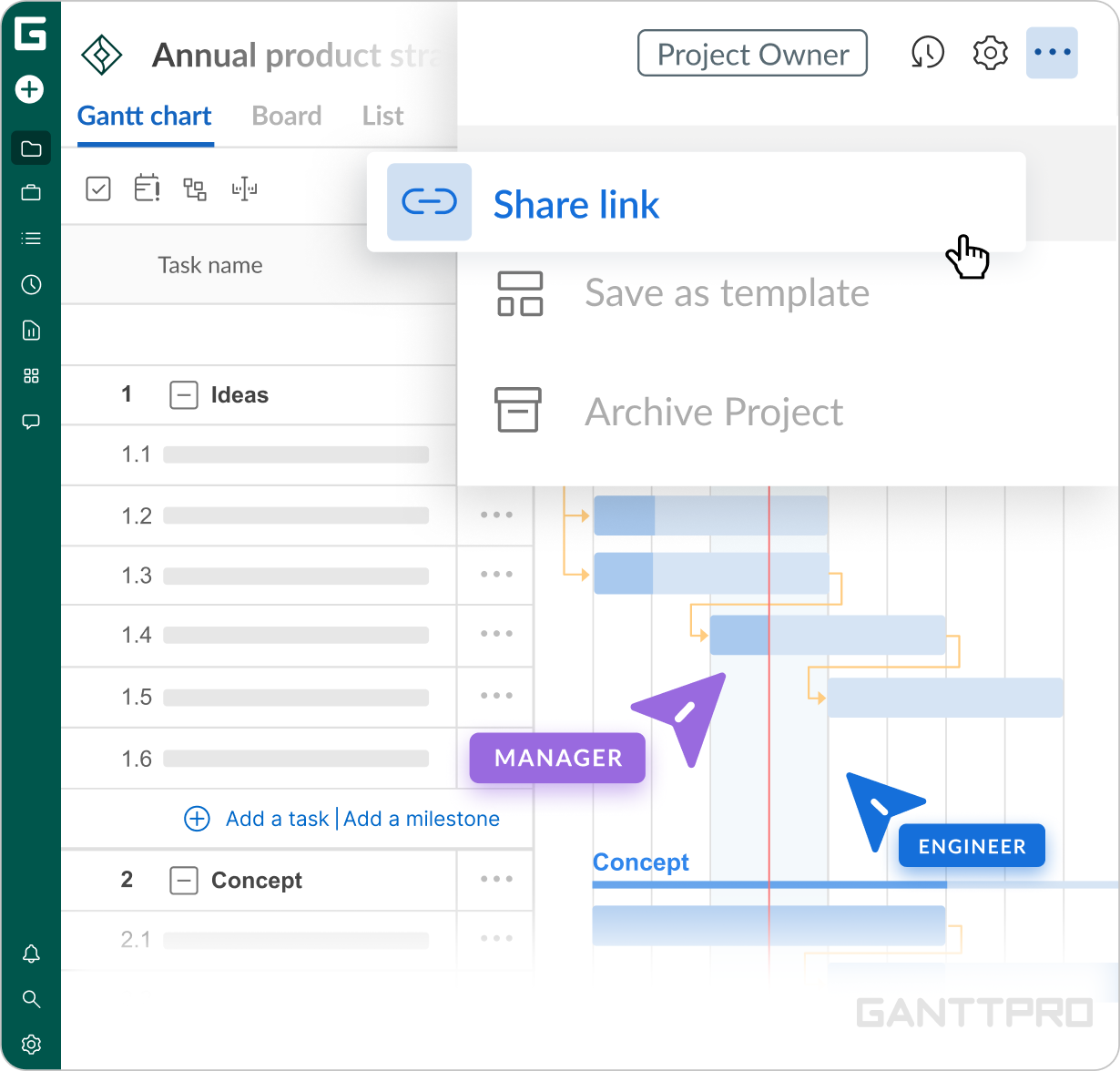
“I think I found GanttPRO through a Google search. Besides how intuitive it was to use, what stood out to me most was the ability to share a project via a link. Anyone can open it without a license or having to install any software on their computer.”
Solution
“In our work, the real challenge is getting all the inputs at the right time. Every project has a clear deadline for deliveries, but the deadlines for the inputs are often less defined.
For us, engineers, the start of production is the key deadline. Before production begins, we need to have everything ready – the 3D model, the drawings, and all the necessary information. And those inputs come from different sides: the client, production, quality, and others.
So making sure all of those inputs arrive on time is the area where GanttPRO has helped me a lot. I can show all the elements we need before we start and define deadlines in the plan.”As the only GanttPRO user and the person fully responsible for planning the drawing office, Prashanth had a clear goal for the tool: plans needed to be easy to understand and share with colleagues without requiring them to work in GanttPRO.
“I’m the one responsible for planning, but the whole team engages with GanttPRO as I share a private link with my colleagues. The whole company actually knows about the software, and I’ve been advocating for wider adoption within the organization.
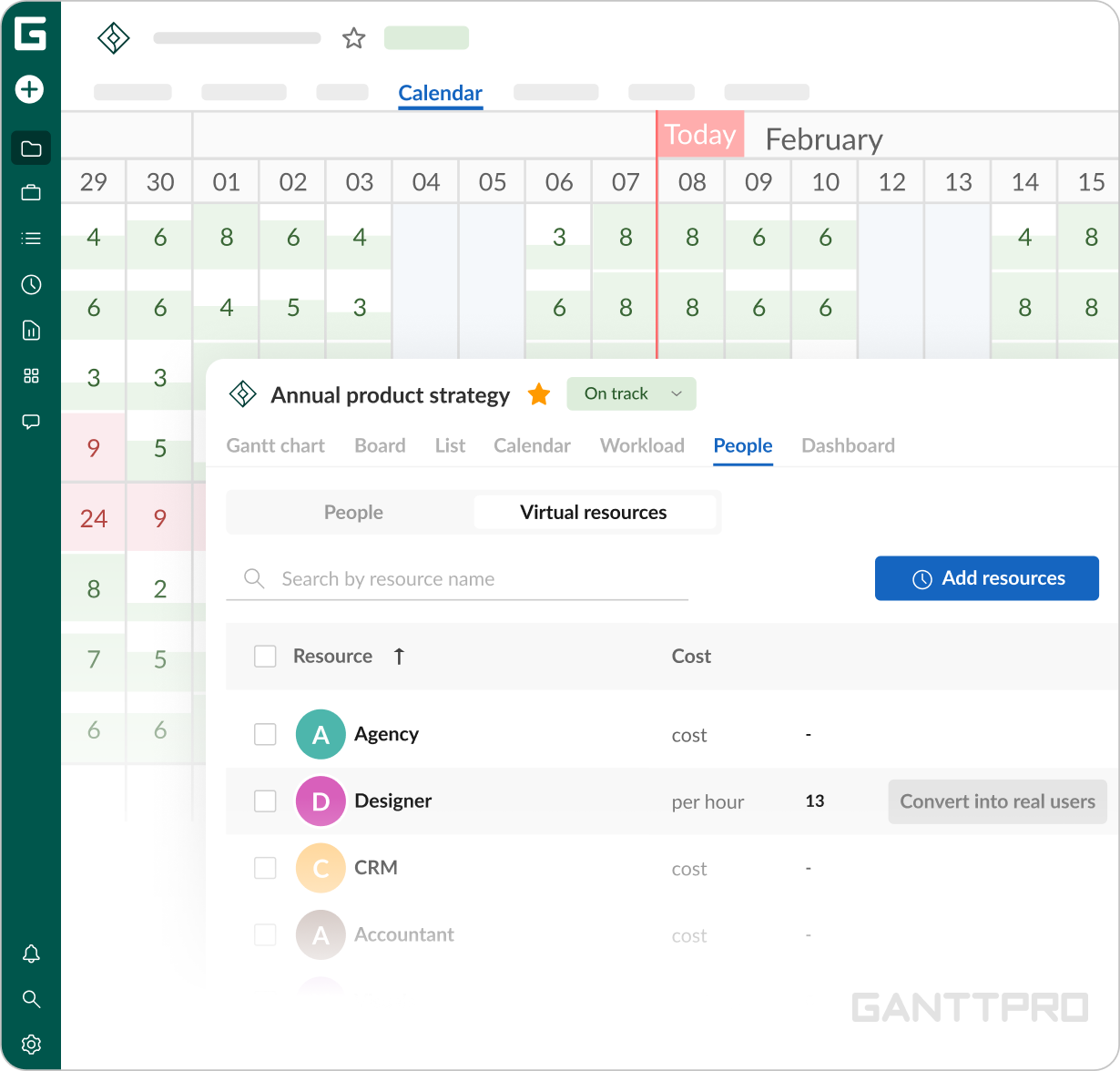
That ability to share projects simply was the strongest point for me. The Gantt chart itself is undeniably useful, as well as deadlines, dependencies, and baseline comparison. But the main goal was to let others see updates live, so whenever I make a change, they can see it on their side as well. That was the main reason why I chose the tool."For Prashanth, virtual resources perform as a way to plan capacity and prevent resource conflicts across simultaneous projects.
“I know you can create a portfolio and group different activities, but for me, I wanted to manage the overall planning of the drawing office as one project. That makes assigning resources and seeing who is booked, until when, and when people become available again really efficient.
Every task is scheduled together with the resources, so I can spot exactly when someone is busy on a particular project. I also add the deadlines for when the drawings need to be ready for production.
This brings visibility of resource conflicts on another level. If a package is going to be 10 days late – I instantly report that to production. And if they want to speed something up – they see it on the Gantt chart that something else has to be pushed back. Сompared to the Excel approach, that reduced the confusion around what needed to be done first.”
Impact
What does your work look like now with GanttPRO?
GanttPRO has been part of Smulders’ planning processes since 2023 and has become a daily tool for Prashanth.
“After we moved our planning to GanttPRO, we soon noticed a big difference in both how we planned and communicated our work. With the Gantt chart and a shared link, everyone involved could see the same plan. Identifying delays and pointing out the weak spots where we could still be missing the inputs became much easier.”