

MARTINRILEY architects ▪ engineers: delivering multidisciplinary architecture and engineering projects with GanttPRO
“There was definitely a moment in the beginning when we thought, ‘This is great. This is exactly what we've been searching for.’ As we spent more time using GanttPRO, it became much more of a natural part of our daily workflows and long-term planning.”
A story about an architecture and engineering firm coordinating multidisciplinary projects and keeping clients updated with GanttPRO.

Company overview
Company: MARTINRILEY
Roles interviewed: Noah Donica, Architect and Project Manager
Project types: multidisciplinary architecture and engineering projects
External pressures: overlapping project activities, cross-department coordination, consistent communication with a client
Tool history: in-house tool, Excel
Problems hinted at: limitations of the timeline view in previous solutions
Summary
Company Background
What does your company focus on?
"MARTINRILEY is a multidisciplinary architecture and engineering firm dedicated to helping communities, organizations, and businesses solve complex facility challenges through thoughtful planning, design, and engineering."
Our work spans the entire project lifecycle, from feasibility studies and master planning to renovations, additions, adaptive reuse, and new construction, serving clients across the civic, education, government, industrial, commercial, housing, and community sectors. A hallmark of our practice is finding practical, innovative solutions that maximize the value of existing facilities while planning for future growth. Whether revitalizing historic buildings, modernizing aging infrastructure, or designing new spaces, we bring together architects, engineers, and specialists to create functional, sustainable environments that serve communities for decades.
Noah Donica, Architect and Project Manager, shared the way how GanttPRO is integrated into MARTINRILEY’s processes and helps the team deliver architecture and engineering projects.
“We do use Microsoft a lot now and even tried Excel sheets which immediately proved inconvenient. What was always missing was software that would allow us to see overlapping activities in one place. That’s where we started our search and eventually came across GanttPRO.”
Struggle
How did your approach look before GanttPRO?
Previously, the internal project management processes were dependent on in-house software developed by one of the team members. Although it offered core functionality they needed, its Gantt chart capabilities were limited.
“It was originally designed by one person in our office, and when he moved on to a different career, there was simply no one left to maintain it. It was a great tool with a small Gantt chart, but it was very rudimentary and simple – this is the project, this is the timeline, and that was it.”
The team tried widely used tools like Excel and Microsoft Project but neither provided the clear timeline they needed: “We do use Microsoft a lot now and even tried Excel sheets which immediately proved inconvenient. What was always missing was software that would allow us to see overlapping activities in one place. That’s where we started our search and eventually came across GanttPRO.”
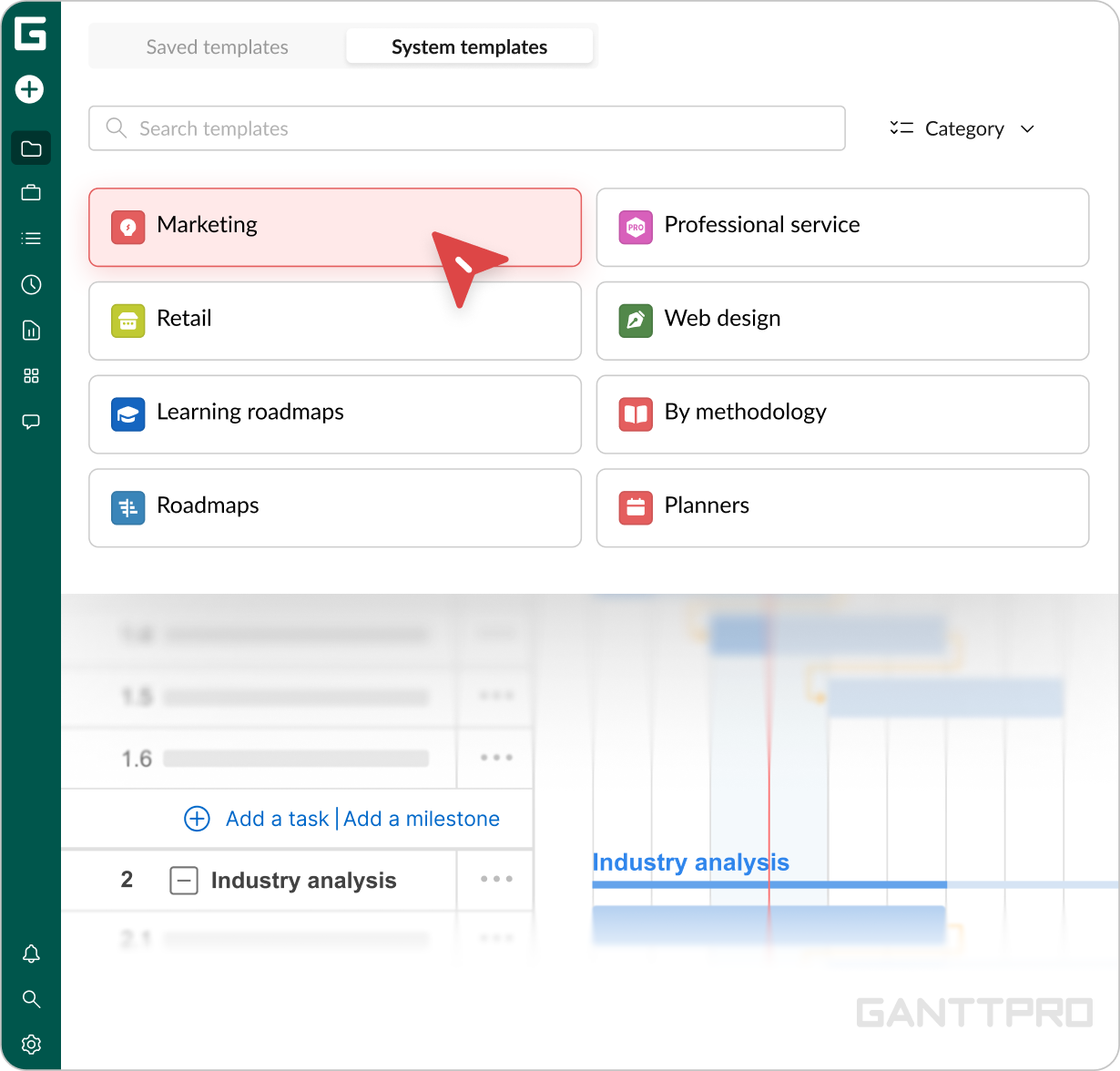
After the trial version and onboarding process went quite smoothly, it was decided to move forward with GanttPRO. “We created our own brief guide outlining how we wanted people to set things up. Each department in the office has its own templates, and once we completed that adaptation phase, the tool started fitting naturally into our processes.”
Solution
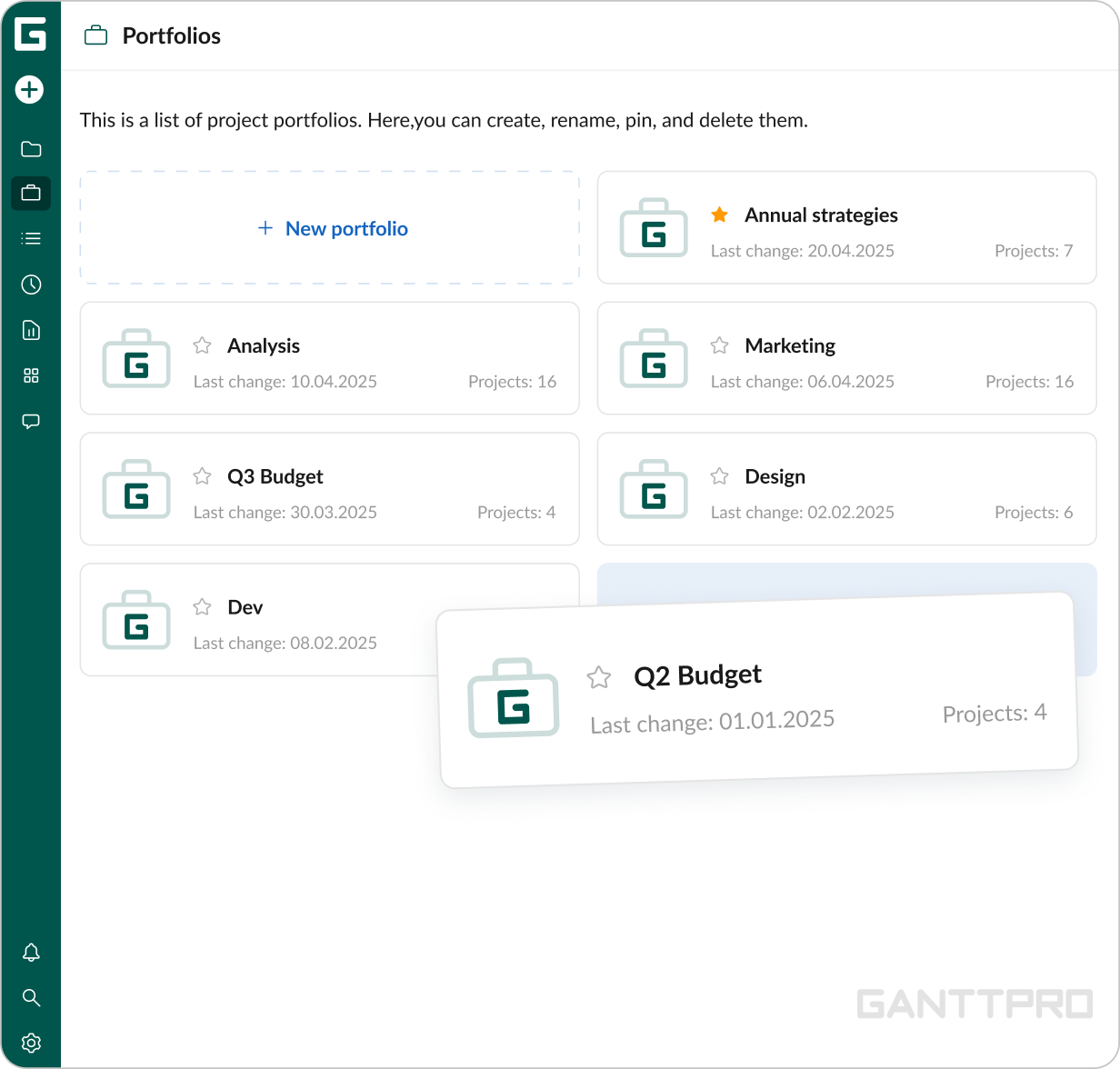
For Noah personally, the Portfolio view is especially important as a way to coordinate workload across the entire office. “I need to have the Portfolio view at every level of the structure — the office level, my team’s level, and my own. I have at least three different portfolios that I’m constantly jumping between, and it makes understanding what’s going on very quick and easy.”
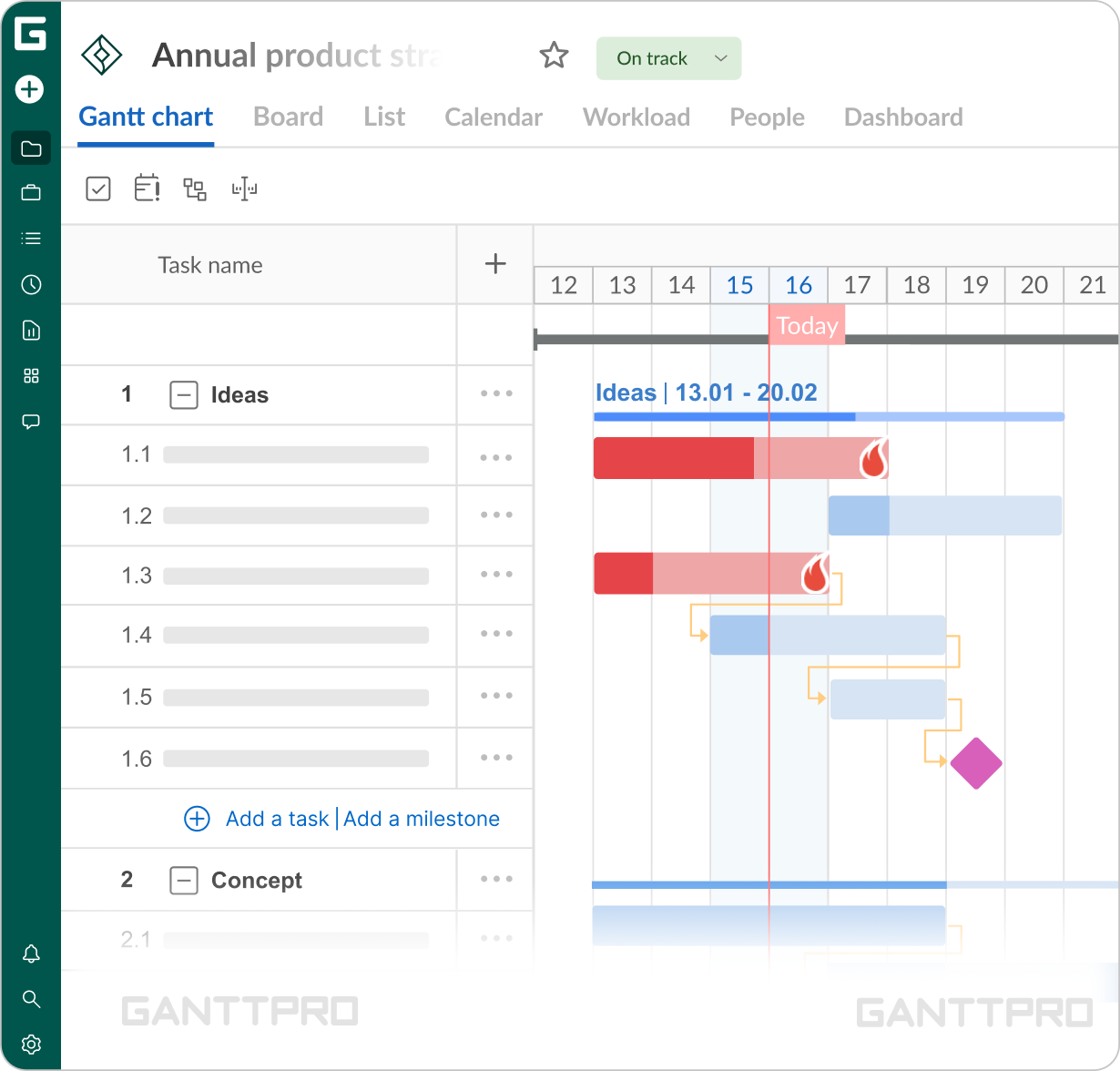
In the architecture, engineering, and construction industries, meeting deadlines is always crucial, whether they are set by a client or internally. For Noah and his team, milestones play an important role in highlighting the stages that cannot be missed or overlooked.
“We like milestones by date because they provide a clear representation of significant upcoming stages. The ability to zoom in and out and visualize different fragments of time is also very useful. That might be my personal favorite feature.”“Building from a Gantt chart template is very helpful. That’s basically how everyone starts a new project. Not only does it save time on setup, but it also maintains consistency across all departments.”
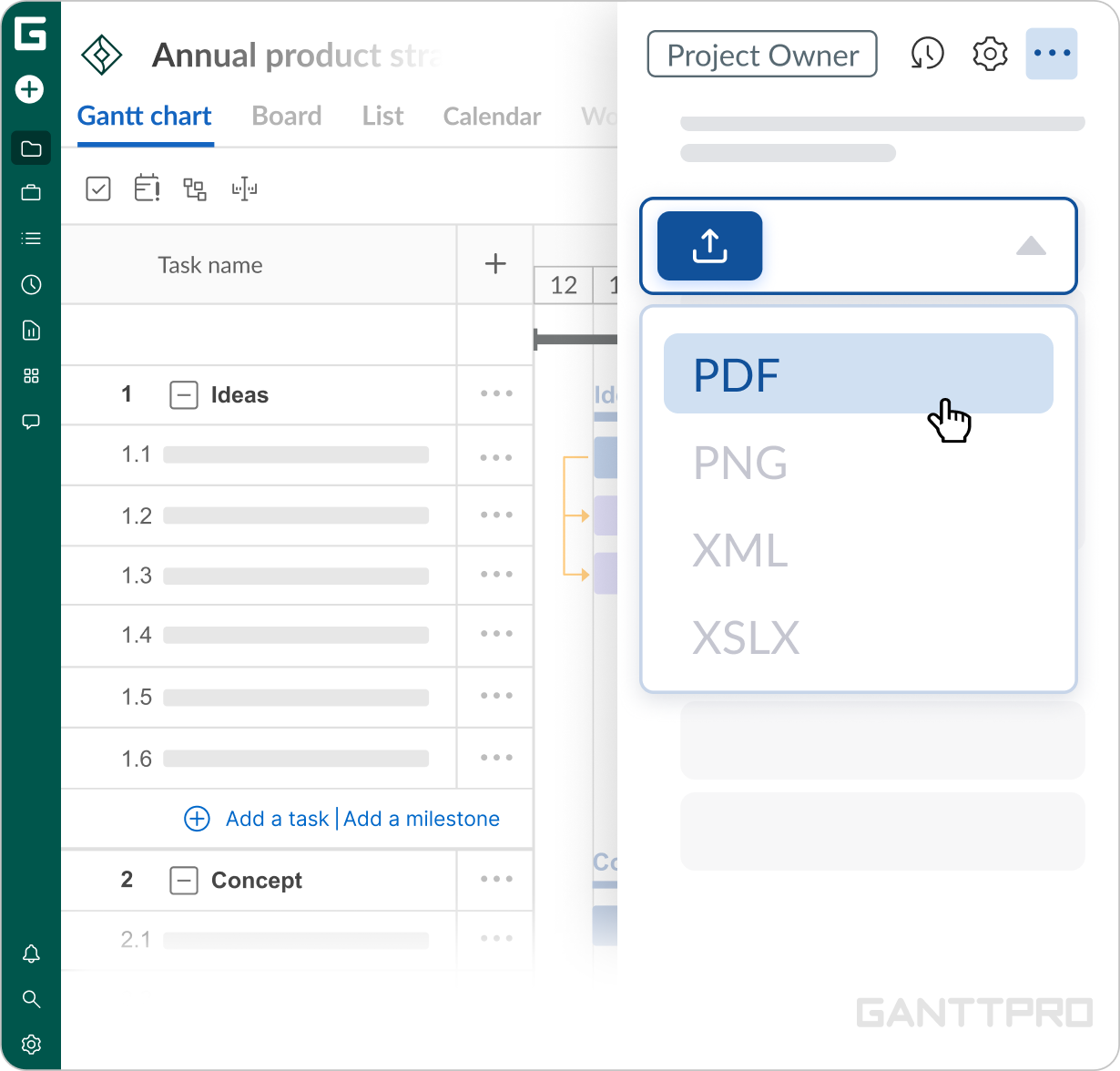
“Beyond our internal activities, with GanttPRO we keep our clients updated. The PDF export and shared Portfolio view help keep everyone aligned and make it much easier to discuss adjustments.”
Impact
What does your work look like now with GanttPRO?
“There was definitely a moment in the beginning when we thought ‘This is great, this is exactly what we've been searching for’. And as we spent more time using GanttPRO, it became much more of a natural part of our daily workflows and long-term planning.”
Today, with a team of around 45 people, GanttPRO serves as both a means of client communication and a way to monitor internal workflows. It helps the organization maintain a clear picture of workload and project pipeline across the upcoming months, weeks, and days. Widely used by project managers to lead their projects, it also gives department heads an additional layer of visibility into what each project manager is working on.