
Construction and remodeling company keeps the workflow, tracks deadlines, and collaborate on projects
“With GanttPRO, I do not lose control of tasks and their dates. Once I create a dependency, I know for sure we won’t mess up or lose something.”
A story about streamlining construction planning and keeping crews aligned on timelines and deadlines.
Company overview
Company: A+ Construction Pro
Role interviewed: George Rossle, Production Manager
Project types: construction and remodeling projects
External pressures: frequent schedule changes, dependency-driven workflows, deadlines, need to keep documents and contracts accessible in one space
Tool history: Spreadsheets and Excel
Problems hinted at: hard to keep control of tasks and dates before, limited visibility of what’s happening in a project, high risks of missing or losing some steps
Summary
Company Background
What does your company focus on?
A+ Construction Pro is a General contractor located in Sacramento, CA, USA. For us, any new project is a form of relaxation. The family-owned company specializes in various construction and remodeling activities: home improvement, windows & siding, roofing, plumbing, flooring, electrical work, house remodeling, and many more.
Today, the company is known as one of the most recommended contractors in Northern California. In 2020, it has been reported California’s fastest-growing company, according to the Sacramento Bee.
“I do not lose control of tasks and their dates. This control is crucial for me in my work. Once I create a dependency, I am sure I won’t mess up or lose something."
Struggle
How did your start using GanttPRO?
Initially, they used Spreadsheets and Excel but were aware about Gantt charts. That’s why they began looking for a tool that would help to create visually appealing diagrams. “We went on Google to find the best Gantt chart based software, found GanttPRO, looked through reviews, and then signed in as we liked everything in the tool.
Now, we are very active in using GanttPRO. We even have a designated specialist who plans and organizes all the processes for the team in the software.”
Solution
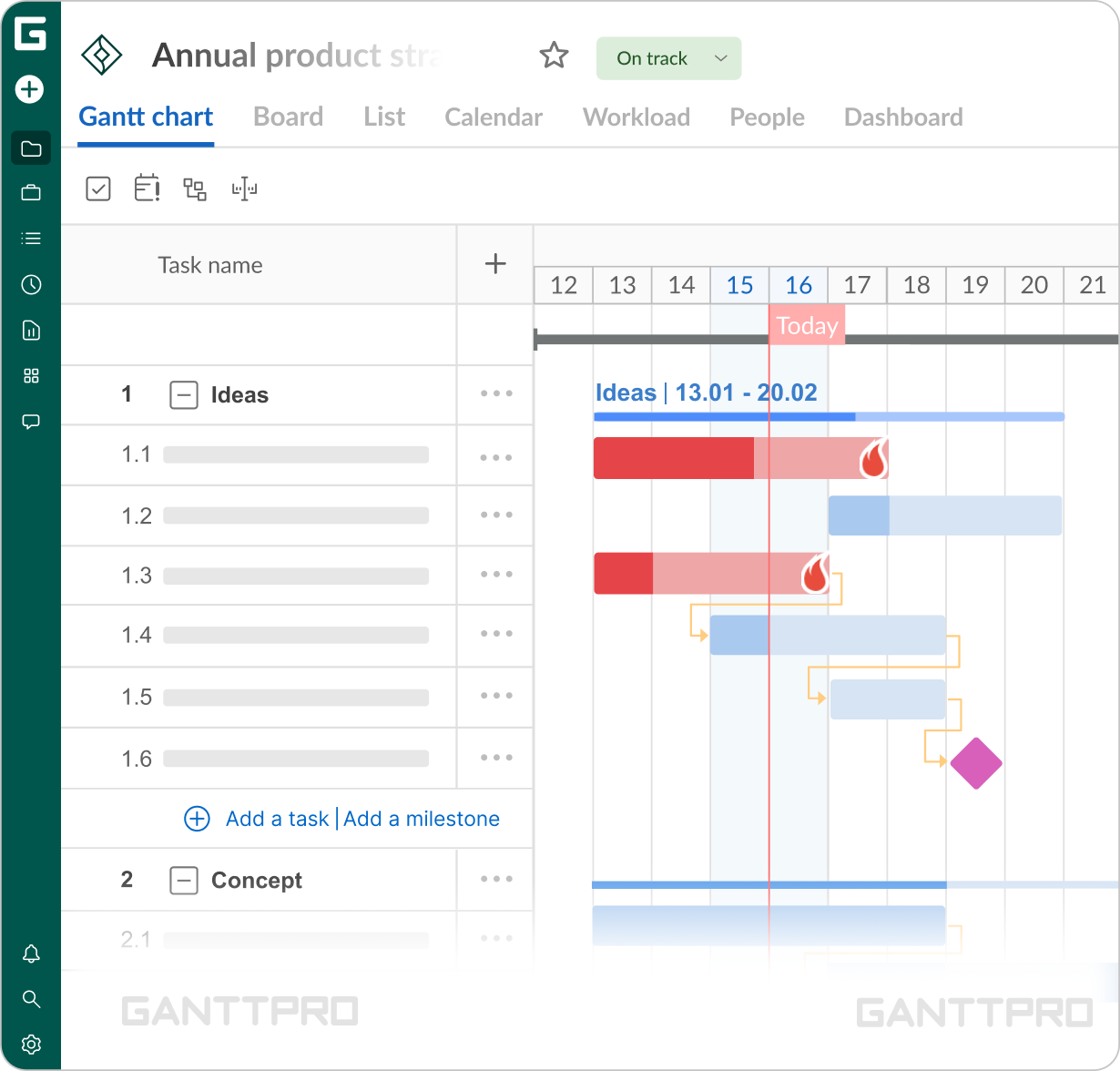
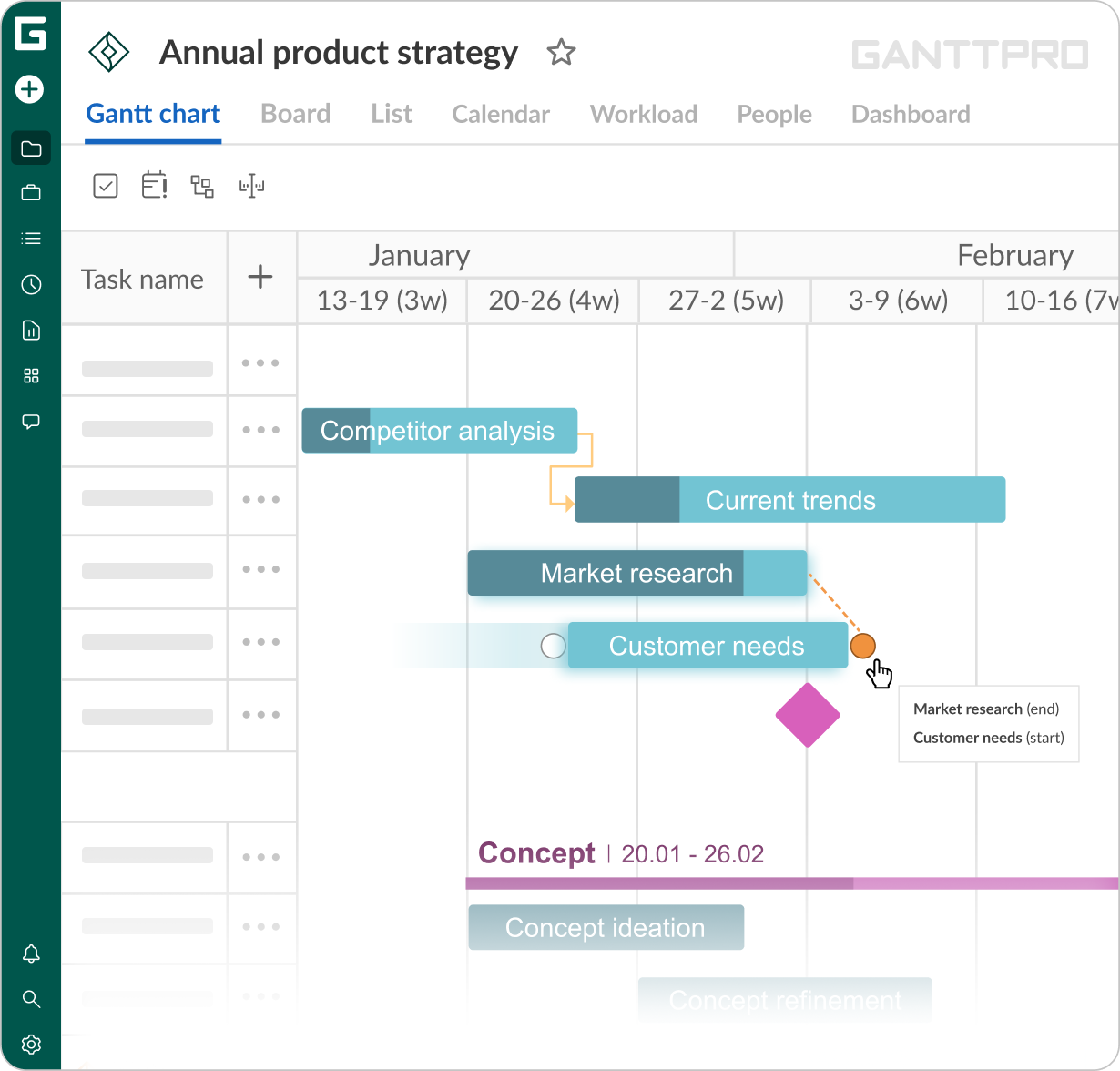
We often use and rely on the critical path. It helps us see what tasks affect the project fulfillment on time. And once you create a dependency, be sure you won’t mess up or lose something.
Thanks to it, I can see how the project will develop if any changes occur. For example, if there was no inspection today, with just a click of a mouse, I see how it would affect my projects’ dates.
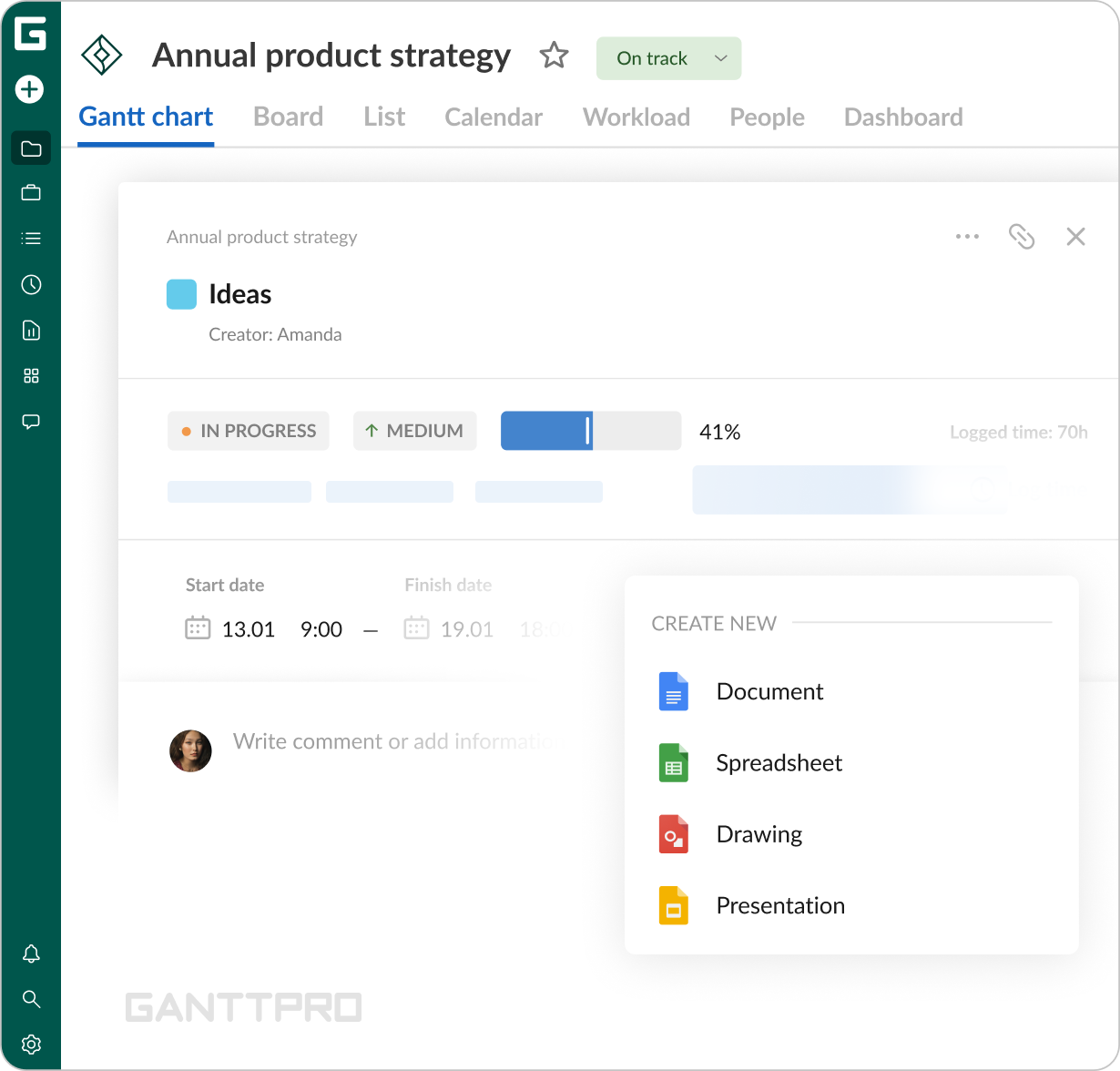
We keep all our files and contracts in GanttPRO and we are sure that all the project-related documents are kept safe, right there where they are needed most. By the way, Google Drive integration works great.
Impact
What does your work look like now with GanttPRO?
“I do not lose control of tasks and their dates. This control is crucial for me in my work. Once I create a dependency, I am sure I won’t mess up or lose something. That’s great! In the tools we used before, it was difficult to do. Now, we have the workflow in order. We see what is going on in a project.”
Besides the specialist who works in GanttPRO and tracks all the processes, we also have two managers.
We invite our colleagues in projects as well as create resources. In the beginning, not every member of our team wanted to follow all the processes in GanttPRO. But in the long run, everyone got used to it.
For us, GanttPRO is a basic tool for planning and management. We use the software for deadline management and time tracking, file sharing, and smart scheduling.