

Experienced project manager works with resources and shares schedules with third parties
“I use GanttPRO for everything – for my work, study, and personal projects.”
A story about Université Laval bringing more structure to project scheduling and resource planning with GanttPRO.

Company overview
Company: Université Laval
Role interviewed: Allan Cid, engineer, experienced project and program manager, studying marketing at Université Laval
Project types: work, study, and personal projects
External pressures: need to persuade stakeholders with clear schedules, resource availability across multiple projects, plan presentation to third parties without “desktop tool” friction
Tool history: Microsoft Project and other desktop/downloadable tools
Problems hinted at: installed tools were inconvenient and not presentation-friendly, needed simple sharing and visibility of resource workload across projects
Summary
Personal background
How would you sum up your experience?
"I can use GanttPRO everywhere, it doesn’t matter the field. GanttPRO has all it needs to have."
Struggle
How did your approach look before GanttPRO?
Favorite features
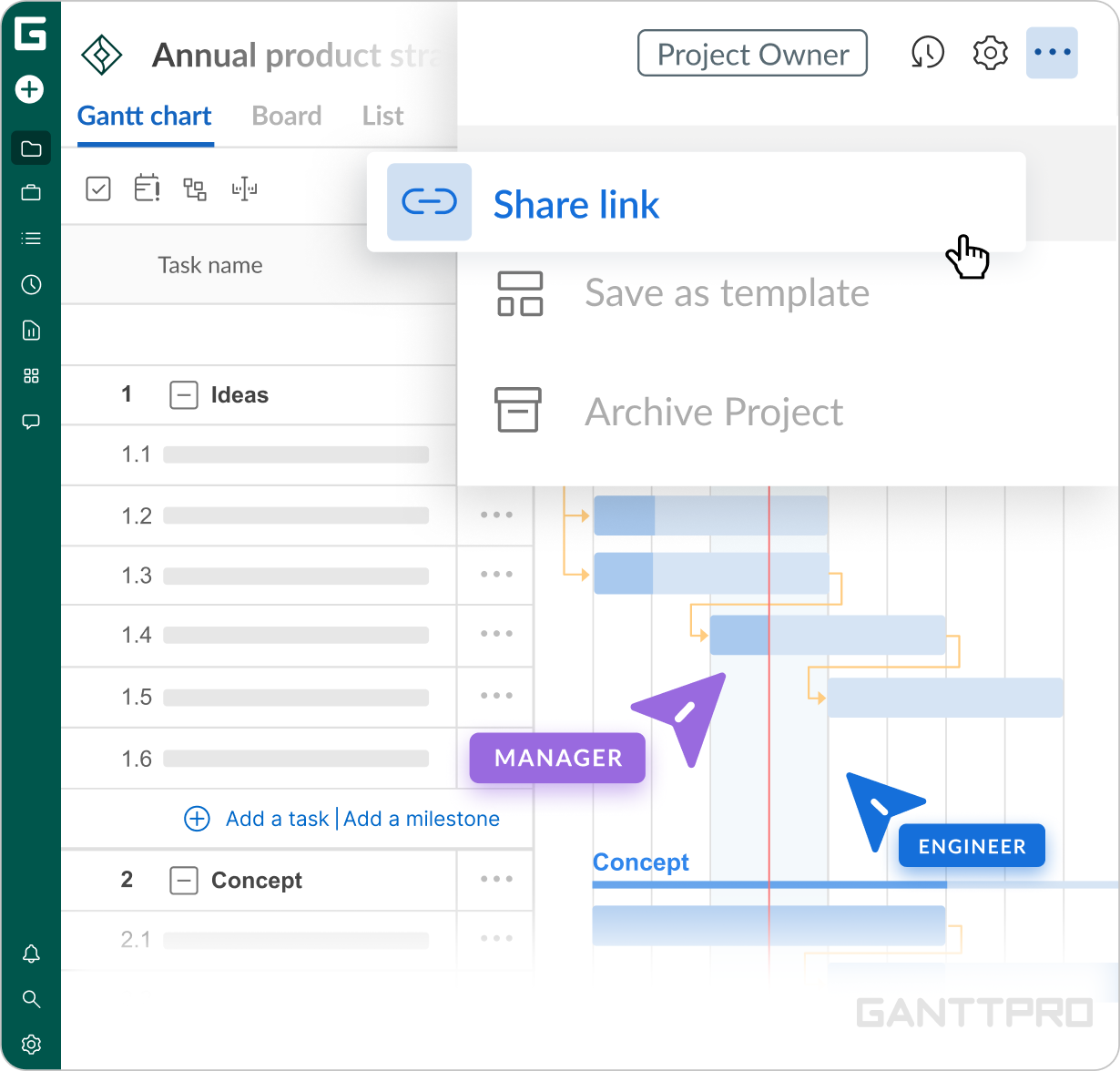
That’s what I like the most. If I have a meeting with someone, I don’t need to create a presentation. I create a link and send it. That’s how I show what we need to discuss.
Also, it helps me present my charts to stakeholders directly. The schedule will look very professional. Actually, I can easily share it with anyone: stakeholders, team members, clients, etc. That’s amazing.
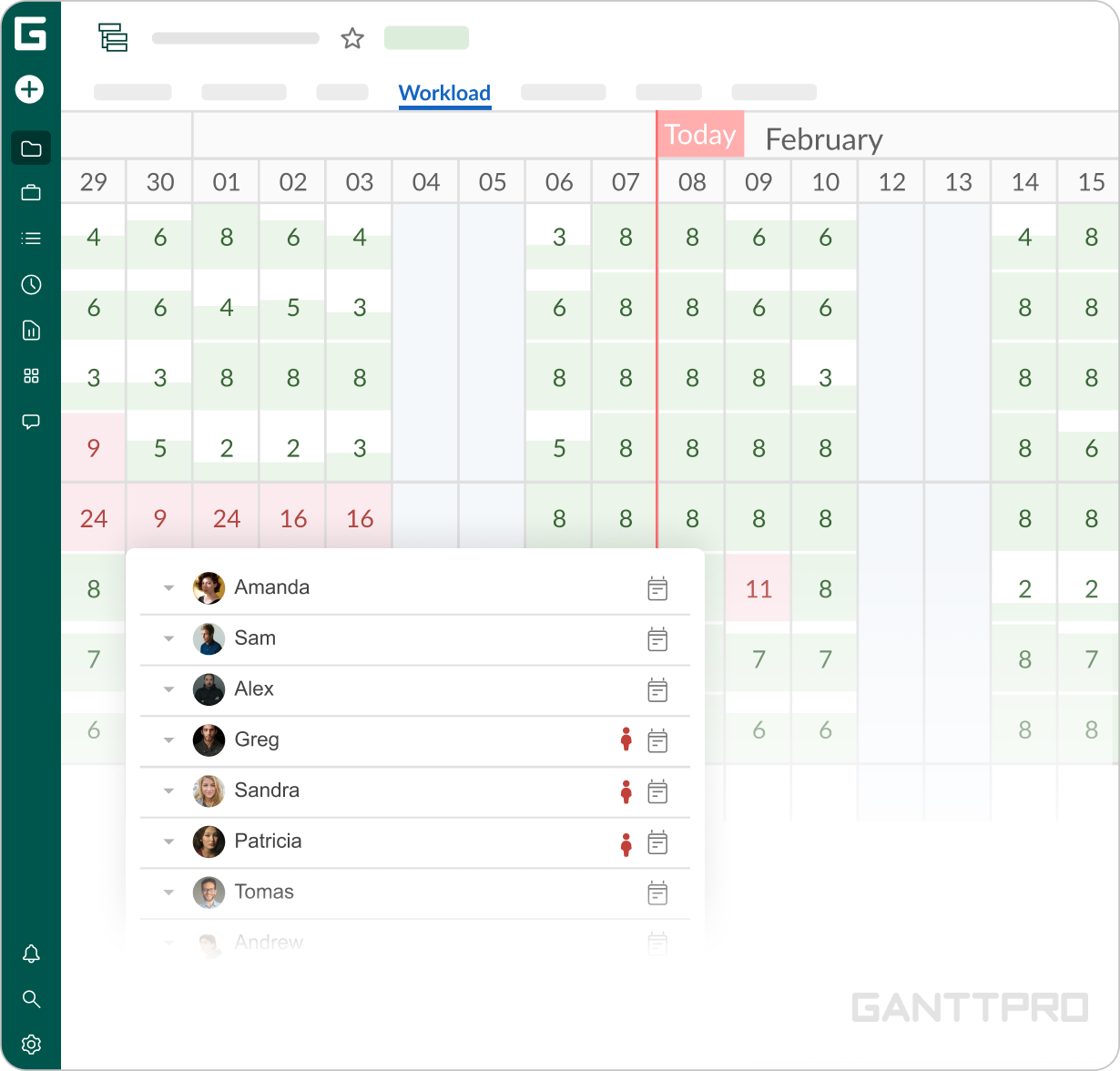
I also like that I can export it to different formats like, for example, PDF.I like that I can create a workload for my team. This way, I can measure whether I give too much workload to a worker on a project or not.
Also, GanttPRO sorts out the hours used in different projects. So, if I have a worker working on Project A, Project B, and Project C, I can see how his workload looks like for a week or a day and reassign tasks if needed. That’s great.
It’s great to see what you’re doing. Actually, you can use GanttPRO as a managing tool as well.
Impact
What does your work look like now with GanttPRO?
I can say that I have been using GanttPRO throughout my whole career.
“I use GanttPRO for everything. For my work, study, and personal projects.”
See for yourself: I used to be a deputy director of the Research Department at UC Timber Innovation Center and a productivity analyst at LAN Airlines. Now, I manage a building construction project and study marketing at University and plan to get a PhD. And GanttPRO has always accompanied me. I can use GanttPRO everywhere, it doesn’t matter the field. GanttPRO has all it needs to have.