Black WeeksGet Additional 6 Months on Annual Plans 16-27 NovemberGet Deal
FOR SMALL & MIDSIZE BUSINESSES

Project management software
for small teams with big plans

Turn project tasks into a clear Gantt plan. Connect deadlines, balance your team's workload, and track progress across projects, all in one place.

Try for free14-day free trial. No credit card required.

More projects shouldn't mean more chasing

When plans live in spreadsheets and updates live in messages, keeping work on track becomes a project of its own.

In GanttPRO: Task dependencies
The problem

The plan is always out of date

A changed deadline means another round of manual updates.

With GanttPRO

Map out every step

Link tasks with dependencies and use auto scheduling, so dependent dates update when a deadline moves.

  • Map handoffs with task dependencies
  • Update dependent dates with auto scheduling
  • Focus on tasks that affect the finish date with the critical path
In GanttPRO: Workload across projects
The problem

The same people are needed everywhere

New work gets assigned before anyone checks existing commitments.

With GanttPRO

Make realistic commitments

Check workload across projects before assigning the same people to more work.

  • View workload across projects
  • Account for working calendars and availability
  • Spot overload and adjust assignments
In GanttPRO: Task assignments
The problem

Ownership gets lost

Tasks move between conversations without a clear owner or next step.

With GanttPRO

Keep everyone working from the same plan

Assign tasks and keep comments, files, and progress updates alongside the work.

  • Set clear task owners for every piece of work
  • Keep task conversations and files alongside the work
  • Work in the Gantt chart, Board, or List view
In GanttPRO: Project health
The problem

Every update takes a meeting

Clients and managers need progress reports you have to assemble by hand.

With GanttPRO

See where your attention is needed

Review project progress, upcoming milestones, and overdue tasks.

  • Review timelines and milestones across projects
  • Check project health and overdue tasks at a glance
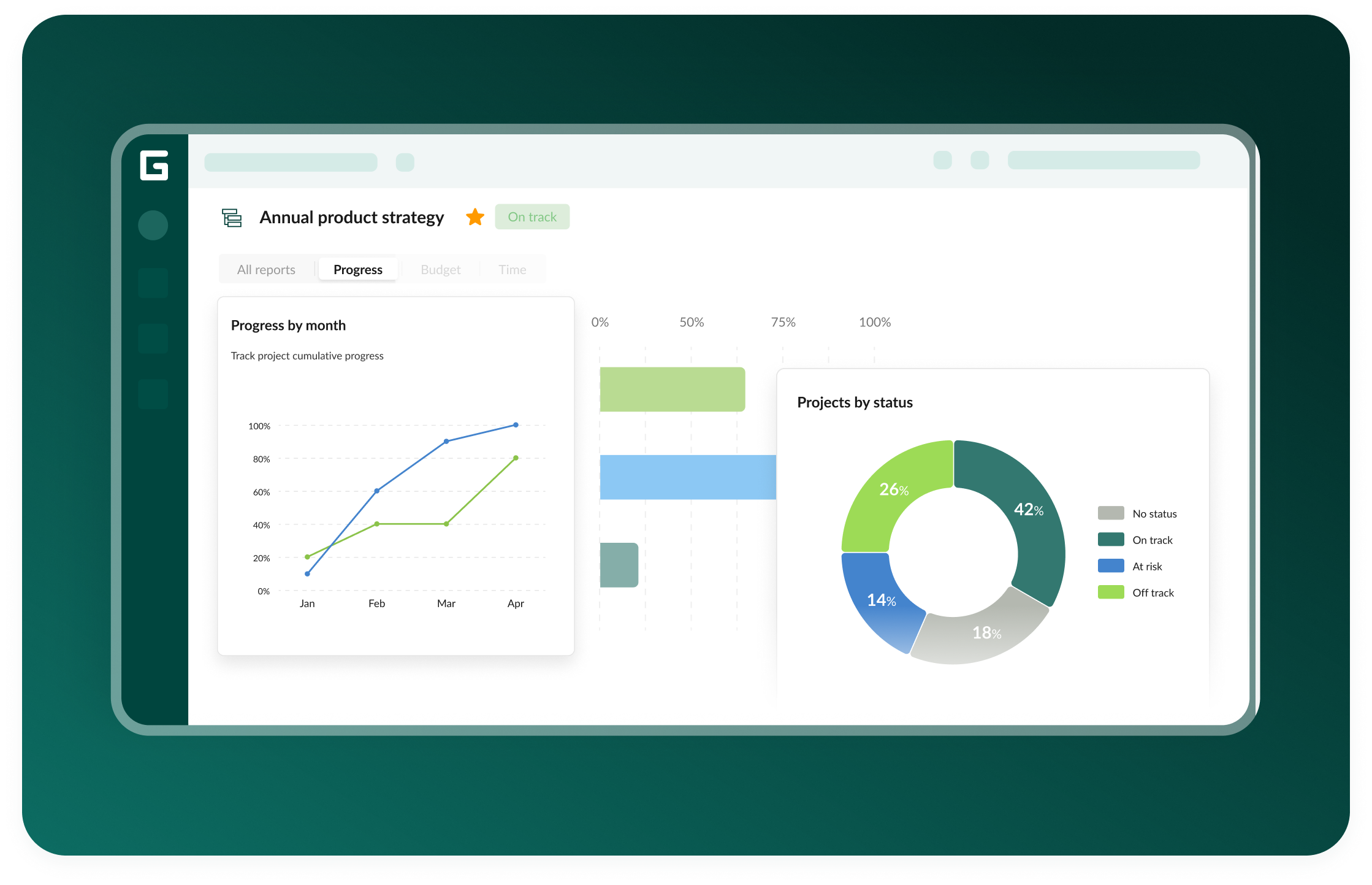
  • Share progress through project views, exports, and reports
dependency management

When plans change, know what comes next

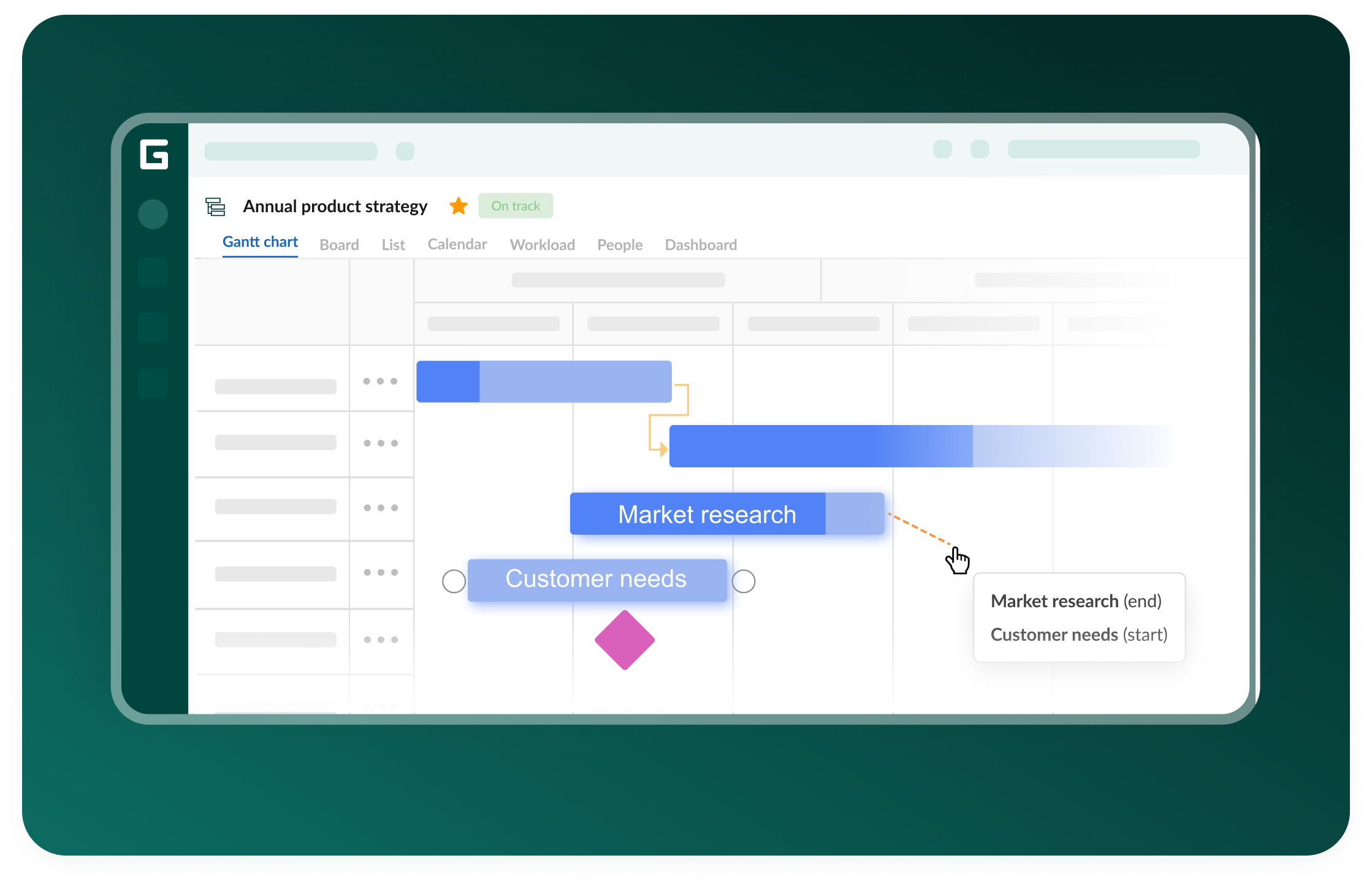
A delayed approval shouldn't leave you rebuilding the schedule by hand. Connect tasks in GanttPRO and use auto scheduling to update dependent dates.

  • Map handoffs with task dependencies
  • Mark client approvals and delivery dates with milestones
  • Focus on tasks that affect the finish date with the critical path
  • Compare your current schedule with a saved baseline
Gantt chart with task dependencies, milestones and the critical path in GanttPRO
workload management

Take on new work with your team's capacity in view

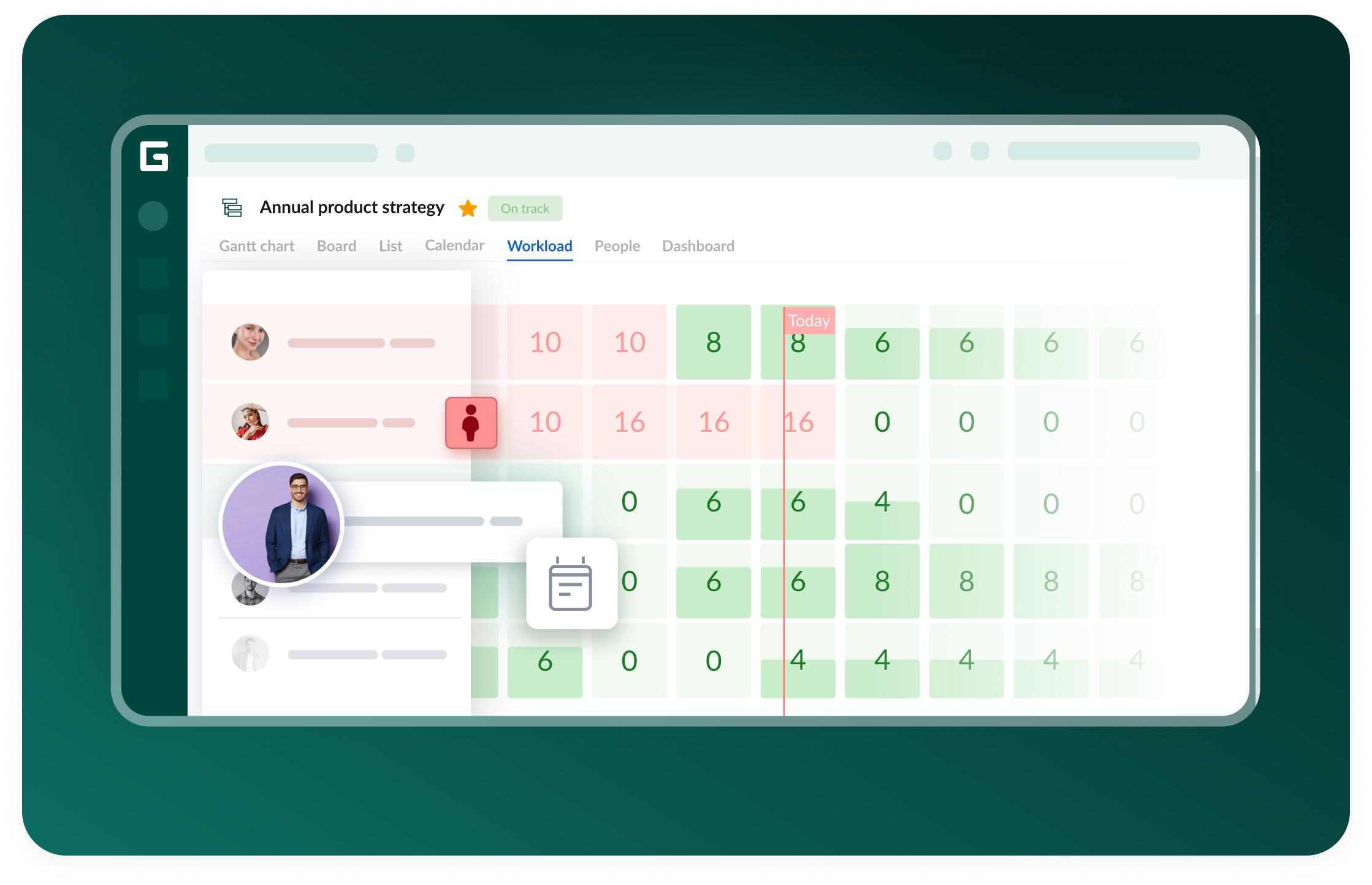
Your team may be small, but its commitments span several projects. Workload helps you spot overlapping assignments and redistribute work before the schedule becomes unrealistic.

  • View workload across projects
  • Account for working calendars and availability
  • Spot overload and adjust assignments
Workload view showing each person's hours across projects in GanttPRO
multiple projects & budgets

Keep every project and its budget in sight

Manage client engagements, internal initiatives, and delivery timelines in a portfolio. Bring progress, planned costs, and tracked time into project reviews.

  • Review timelines and milestones across projects
  • Plan resource costs and track time spent on tasks
  • Share progress through project views, exports, and reports
Portfolio of projects with budgets and progress in GanttPRO

Clear plans for everyone involved

  1. Business owners

    Understand progress, priorities, and resource commitments across projects.

  2. Project managers & team leads

    Build schedules, coordinate handoffs, and see where work needs attention.

  3. Team members

    Know what to do next, when it's due, and where to find the latest context.

  4. Clients & stakeholders

    Follow shared project views and updates without digging through day-to-day task details.

Move beyond spreadsheets without starting from scratch

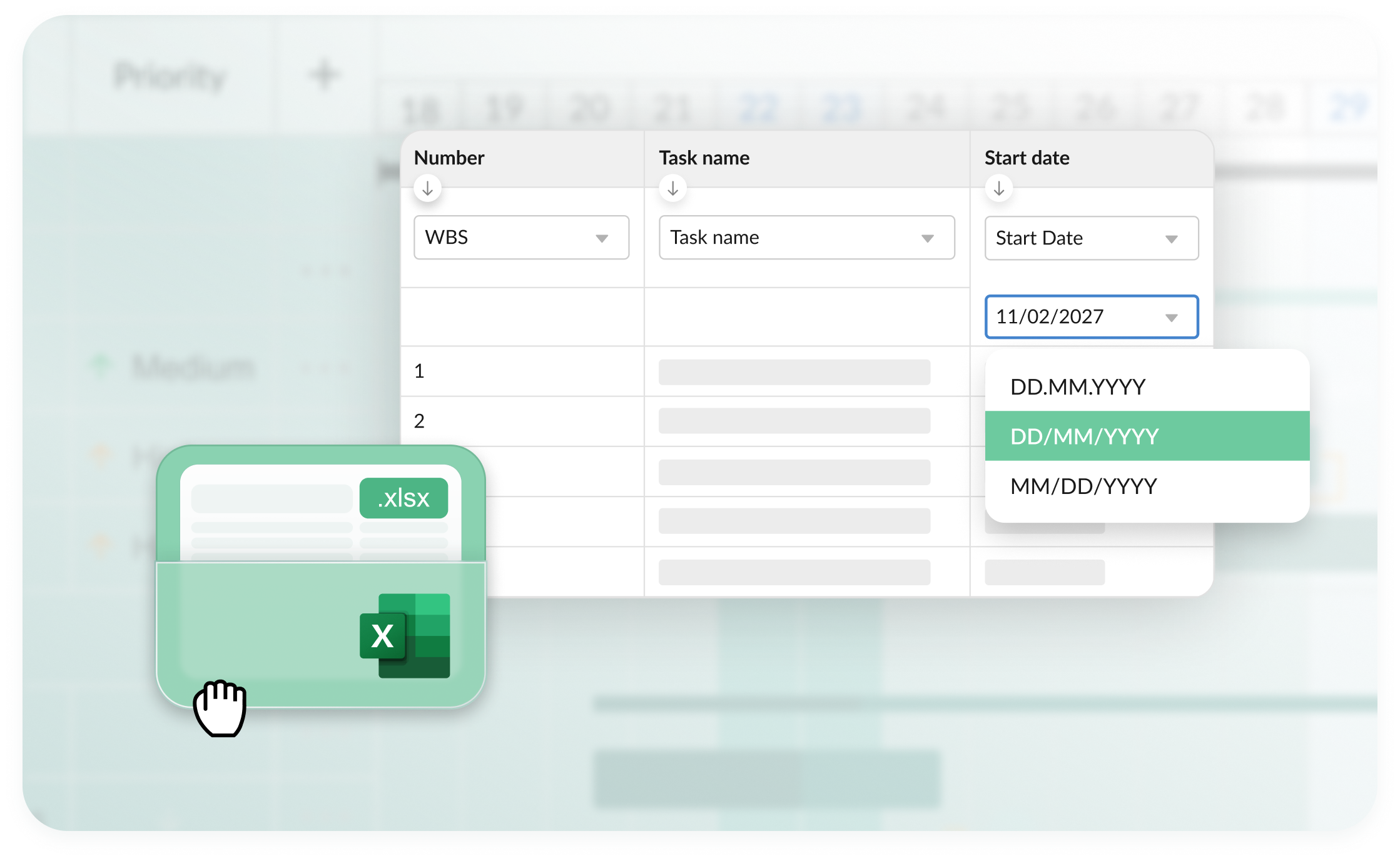
Bring an existing plan into GanttPRO or start with a project template. Give your team a shared schedule they can keep up to date together.

  • Import a plan from Excel or Microsoft Project
  • Start with ready-made templates
  • Keep task conversations and files alongside the work
A project plan imported from a spreadsheet into a GanttPRO Gantt chart
  1. 01

    Create or import your plan

    Bring in existing files or build out tasks with dependencies and milestones.

  2. 02

    Invite your team

    Set clear task owners and share timelines with internal collaborators.

  3. 03

    Track progress together

    Keep status updates, attachments, and milestones aligned in one place.

Project planning that feels easier to work with

GanttPRO offers powerful Gantt chart functionality. What once felt difficult to manage in spreadsheets became much easier to control in GanttPRO. We now have a much clearer view of timelines, dependencies, and task order, while notifications and collaboration features help us keep the team aligned daily.

Lloyd Stephens, Global Operations Director at SupernovaLloyd StephensSupernovaGlobal Operations Director
Read the user feedback

FAQ

  • Yes. GanttPRO is designed for teams that need to plan project schedules, coordinate people, and track delivery. It's especially useful when your projects involve dependencies, shared resources, or several stages of work.
  • You can import plans from Excel or Microsoft Project, or start from a ready-made template and adapt it to your workflow. You can also bring in your projects and use the AI Project Planner inside GanttPRO, which understands text and voice and reads any files.
  • Yes. You can manage multiple projects and portfolios with the same team. Resource management will help you keep all of them balanced.
  • You can share your projects even with unregistered users via a private link or export them to popular formats.
  • Yes. Use the Gantt chart to plan schedules and dependencies, the Board view to organize tasks by status, or the List view to work through task details.
  • Yes. GanttPRO offers a 14-day free trial. No credit card is required.

Big plans start with a clear next step

Build your project schedule, bring in your team, and keep work moving with GanttPRO.

Try for free