Was gibt es Neues in GanttPRO
Entdecken Sie neue Funktionen, die neuesten Produktupdates, Verbesserungen und sehen Sie, was bald kommt, um GanttPRO zur besten Lösung für Ihre Projektmanagementbedürfnisse zu machen.

Alle Updates und Releases
September, 2025
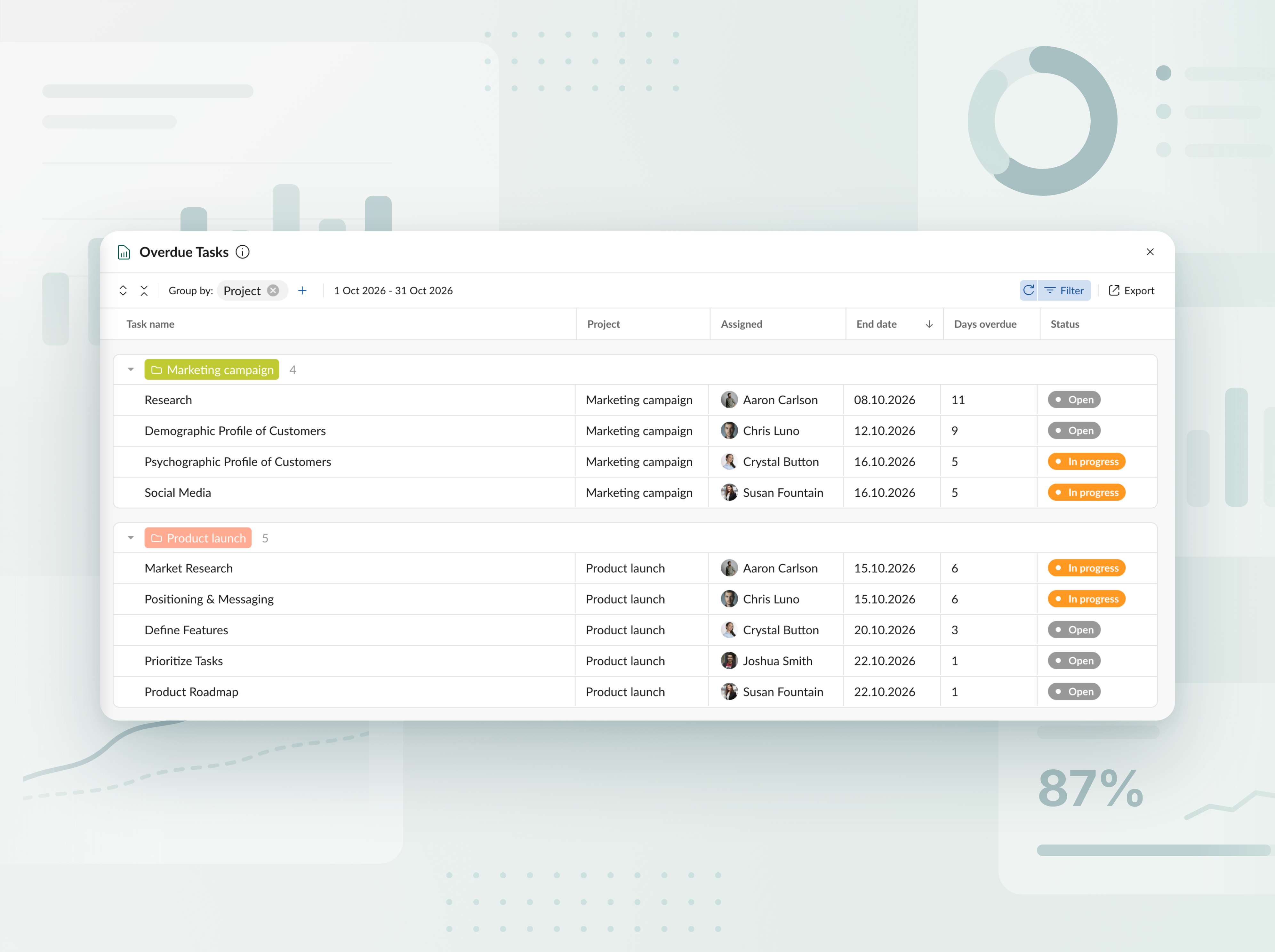
Bericht über überfällige Aufgaben
Verfolgen Sie überfällige Aufgaben in allen Projekten und Portfolios. Sehen Sie in einer übersichtlichen Tabelle, wie viele Tage jede Aufgabe im Rückstand ist und wer dafür verantwortlich ist, und exportieren Sie den Bericht dann in wenigen Klicks nach Excel.


Lernen Sie den neuen KI-Projektplaner kennen
Beschreiben Sie Ihr Projekt, wie Sie möchten – per Text, per Sprache oder als Datei – und erhalten Sie einen vollständigen Plan, der sofort einsatzbereit ist. Änderungen nötig? Sagen Sie einfach, was angepasst werden soll – und es wird nur genau dieser Bereich umgestaltet. Jede Bearbeitung wird als neue Version gespeichert, sodass nichts verloren geht. Verfügbar beim Erstellen neuer Projekte.


Erstellen Sie Projektpläne mit KI
Lernen Sie den KI-Generator für Gantt-Diagramme kennen: Aus einer kurzen Beschreibung erstellt er in nur wenigen Sekunden ein sofort einsatzbereites Projekt. Verfügbar beim Erstellen neuer Projekte.

Neue Währungen hinzugefügt
Wir haben die Liste der für das Budget-Tracking verfügbaren Währungen erweitert. Sie können jetzt AED, SEK, DKK, INR, CHF, KZT und ISK verwenden. Ihnen fehlt eine Währung? Teilen Sie uns das mit unter support@ganttpro.com oder per Live-Chat. Wir helfen Ihnen gern!


Wochentagsbeschriftungen im Gantt-Diagramm
Wir haben dem Gantt-Diagramm einstellige Beschriftungen der Wochentage hinzugefügt, um die Lesbarkeit und Navigation zu verbessern. Wird angezeigt, wenn in Zoom „Tage“ aktiviert ist.

Benutzerdefinierte Reihenfolge für Favoritenprojekte und Updates in der Seitenleiste
Sie können Ihre Favoritenprojekte in der linken Seitenleiste jetzt per Drag-and-drop neu anordnen und sie in der Reihenfolge platzieren, die für Sie am besten funktioniert, mit einem schnelleren Zugriff. Außerdem haben wir die Bereiche der Fußzeile in dieselbe Seitenleiste verschoben. So erhalten Sie ein übersichtlicheres Layout und eine angenehmere, klarere App-Erfahrung.


Neue Sprachen hinzugefügt
Wir haben 13 neue Sprachen in der Beta-Version hinzugefügt: Französisch, Italienisch, Polnisch, Niederländisch, Schwedisch, Norwegisch, Finnisch, Ukrainisch, Türkisch, Hindi, Chinesisch, Japanisch und Vietnamesisch. Du kannst sie in deinen Profileinstellungen ändern. Da wir sie noch testen, würden wir uns über dein Feedback freuen. Falls du Unstimmigkeiten bemerkst, kontaktiere uns bitte unter support@ganttpro.com.


Aktualisierung der Richtlinien und Bedingungen
Wir haben unsere Nutzungsbedingungen, Datenschutzrichtlinie, und Zusatzvereinbarung zur Datenverarbeitung aktualisiert.


Virtual resource conversion
From now on, you can convert virtual resources into real users.


Introducing new improvements
Additional description field in resource's cards so that you can provide extra details. Ability to change avatar color of virtual resources for their visual differentiation.


Introducing new improvements
The header and project grid redesign. This will make it much easier for you to navigate and read data. An improved and redesigned drag-and-drop feature in the project grid will bring you a new user-friendly experience. The Select action in the context menu for faster interaction with the bulk change. Improved collaboration and performance for large teams and projects.

Introducing new improvements
We've eliminated the risks of assigning simultaneous tasks to resources working on multiple projects. Now, you can see the workload on all of their projects and prevent dangerous resource overload scenarios.

October GanttPRO update
Greatly improved and updated the "Team & Resources" section that has moved to the Profile settings. You can now manage team members and resources from their personal cards. Find more details here. Bulk change in the List view. Apply changes to multiple tasks - just like you do in the Gantt chart view. Find more details here. Updated sidebar for your simpler and more convenient navigation. Ability to pin an unlimited number of favorite projects in the sidebar. Three new API requests. Get timelogs, comments, or attachments with one request for the whole project.

August GanttPRO update
Password-protected Public URL. Be sure that your shared project can only be viewed by those for whom it is intended. Improved comments. Any text written by members deleted from the team will not be deleted with them. Comments remain in place with a note that the user has been deleted.

What's new in the July GanttPRO update:
Project statuses. Use the default statuses or create your own for even more transparent and efficient project management. Improvements in the List view. Create tasks right inside the list, visualize overdue and closed tasks, and use the familiar tabular view – just like in the Gantt chart mode.

Introducing new features and improvements
Project structure. We have removed subprojects as units, so you don't get lost in tasks. The structure became more transparent: Projects – Tasks – Subtasks. Task field. We have improved the UX design, so that you can go directly to the task settings for data entry faster. Performance improvements.


Introducing new features and improvements!
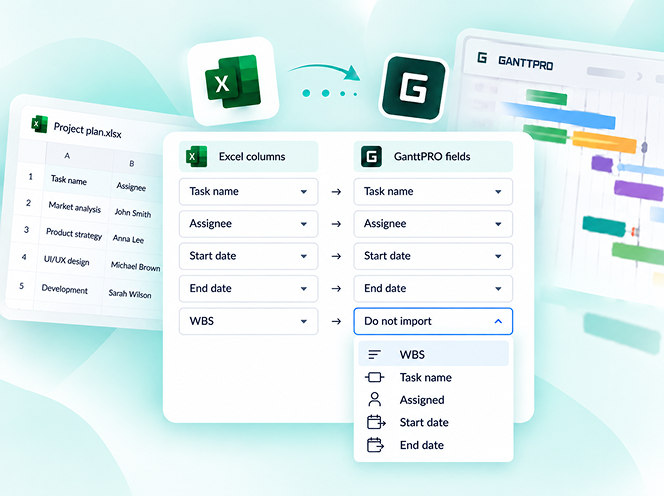
Custom fields import from Excel: Text, Number, and Date. Recalculation of task duration after changes in resource's calendar. API update: now, you can create parent tasks. Integration with JIRA has been improved. Overall performance has been improved.


Help us make GanttPRO better!
We work hard on new rights, roles, and groups. If you have encountered any inconvenience in making your workflow in GanttPRO, drop us a line at stas@ganttpro.com. We are looking forward to your feedback.

Introducing new features!
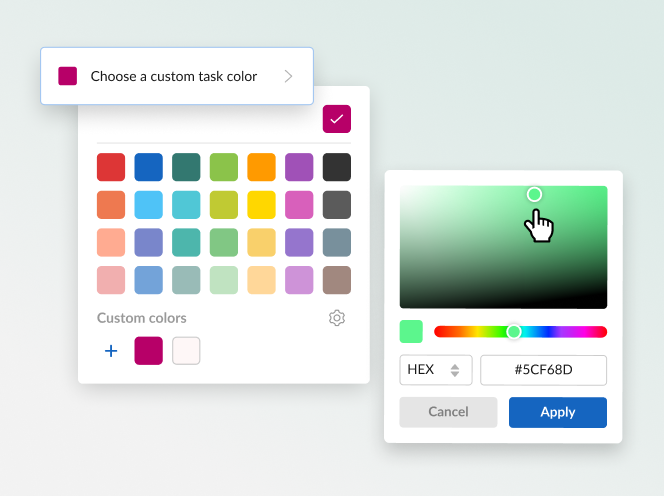
Expanding/Collapsing tasks on a project and project portfolio levels. Possibility to choose "Do not display" task names on the chart. Possibility to choose a way to depict closed tasks: strikethrough or grayed out. Redesign of project and group of tasks bars. Manual date entry in the grid.


Introducing the "Predecessor" column!
Meet Predecessor, a new column that will help you quickly create, manage, and navigate through dependencies right from the grid.


We improved GanttPRO in the December release!
Filters by overdue tasks. Quick jump to specific projects from project portfolios. Project color customization in project portfolios.

We improved GanttPRO in the November release!
Portfolio export. Portfolio sharing with Public URL. The Korean language.


We improved GanttPRO in the July release!
Auto scheduling improvement. Real-time collaboration improvement. Ability to change the columns order with drag & drop in the project grid except for the "Task name" column. Your templates save most of the project settings except for calendars and skins. Ability to export resource workload to xlsx. Overall performance improvement.



Aktualisierte Integration mit Jira
Neues benutzerdefiniertes Feld Formel
Aufgaben aufteilen
Wiederkehrende Aufgaben