Co nowego w GanttPRO
Odkryj nowe funkcje, najnowsze aktualizacje produktu, ulepszenia i zobacz, co wkrótce się pojawi, aby GanttPRO stał się najlepszym rozwiązaniem dla Twoich potrzeb w zarządzaniu projektami.

Wszystkie aktualizacje i wydania
September, 2025
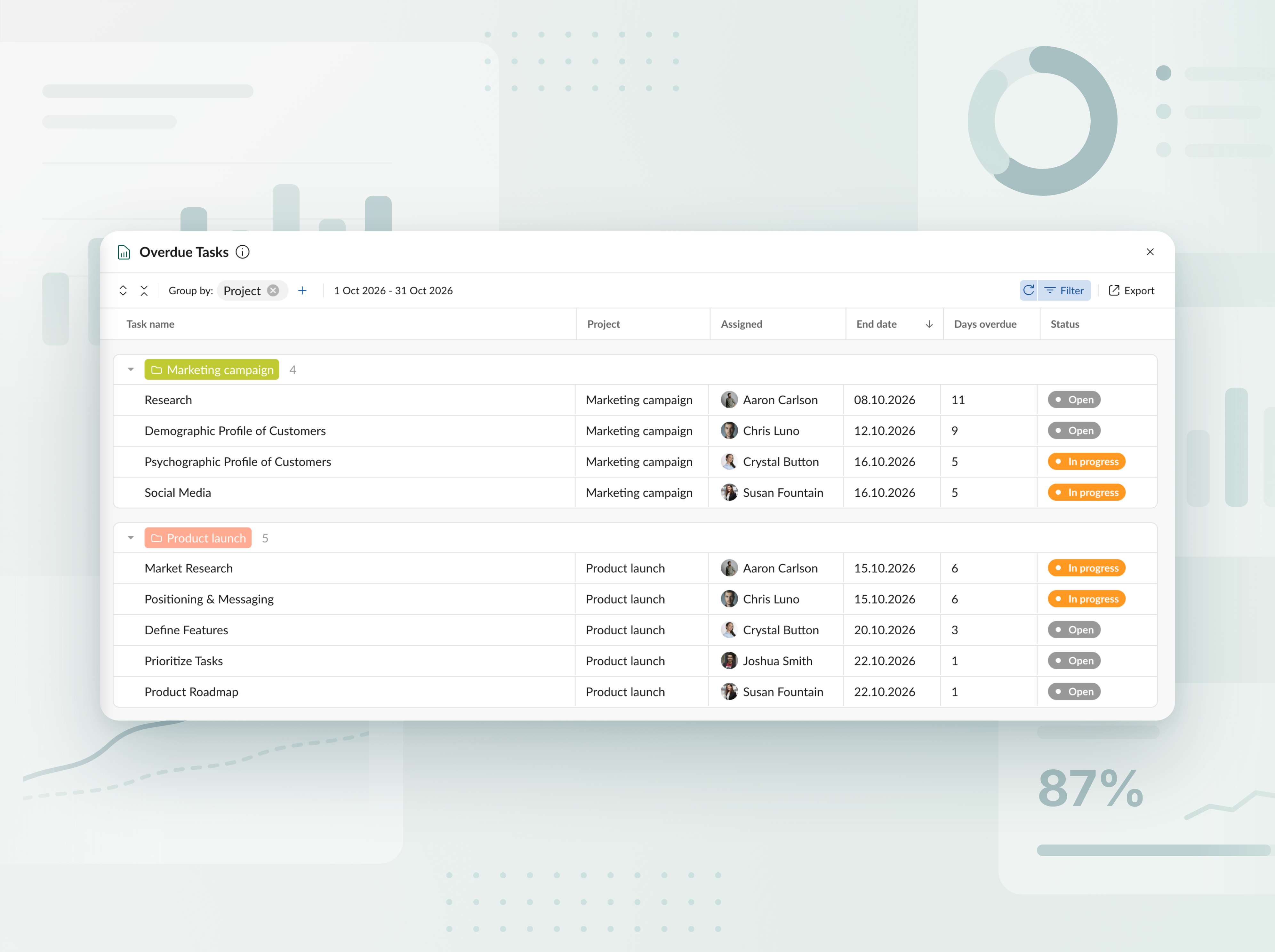
Raport zadań przeterminowanych
Śledź przeterminowane zadania we wszystkich projektach i portfelach. W czytelnym tabelarycznym widoku sprawdzisz, o ile dni każde zadanie jest opóźnione i kto za nie odpowiada, a następnie wyeksportujesz raport do programu Excel w kilku kliknięciach.


Poznaj nowego planistę projektów z AI
Opisz swój projekt tak, jak chcesz — tekstem, głosem lub plikiem — i otrzymaj kompletny plan, gotowy do pracy. Potrzebujesz zmian? Po prostu powiedz, co ma się dostosować, a przebuduje się tylko ta część. Każda edycja jest zapisywana jako nowa wersja, więc nic nie zostaje utracone. Dostępne podczas tworzenia nowych projektów.


Twórz plany projektów za pomocą AI
Poznaj twórcę wykresów Gantt z AI, który zamienia krótką opisową informację w gotowy do użycia projekt — w zaledwie kilka sekund. Dostępny podczas tworzenia nowych projektów.

Dodano nowe waluty
Rozszerzyliśmy listę walut dostępnych do śledzenia budżetu. Teraz możesz używać AED, SEK, DKK, INR, CHF, KZT i ISK. Brakuje jakiejś waluty? Daj nam znać na support@ganttpro.com lub przez czat na żywo — chętnie pomożemy.


Etykiety dni tygodnia na wykresie Gantta
Dodaliśmy jednoliterowe etykiety dni tygodnia na wykresie Gantta, aby poprawić czytelność i nawigację. Wyświetlane, gdy w Zoom włączono „Days”.

Własna kolejność ulubionych projektów i aktualizacje paska bocznego
Możesz teraz zmieniać kolejność ulubionych projektów w lewej części paska bocznego metodą przeciągnij i upuść, aby ułożyć je w kolejności, która działa najlepiej dla Ciebie, z szybszym dostępem. Przenieśliśmy też sekcje stopki do tego samego paska bocznego. Otrzymasz bardziej uporządkowany układ i czystsze wrażenia w aplikacji.


Nowe języki dodane
Dodaliśmy 13 nowych języków w wersji beta: francuski, włoski, polski, niderlandzki, szwedzki, norweski, fiński, ukraiński, turecki, hindi, chiński, japoński i wietnamski. Możesz je zmienić w ustawieniach swojego profilu. Ponieważ je testujemy, chętnie poznamy Twoją opinię. Jeśli zauważysz jakiekolwiek nieścisłości, skontaktuj się z nami pod adresem support@ganttpro.com.


Aktualizacja polityki i warunków
Zaktualizowaliśmy nasze Warunki korzystania, Politykę prywatności oraz Dodatek dotyczący przetwarzania danych.


Introducing new improvements
Additional description field in resource's cards so that you can provide extra details. Ability to change avatar color of virtual resources for their visual differentiation.


Introducing new improvements
The header and project grid redesign. This will make it much easier for you to navigate and read data. An improved and redesigned drag-and-drop feature in the project grid will bring you a new user-friendly experience. The Select action in the context menu for faster interaction with the bulk change. Improved collaboration and performance for large teams and projects.

Introducing new improvements
We've eliminated the risks of assigning simultaneous tasks to resources working on multiple projects. Now, you can see the workload on all of their projects and prevent dangerous resource overload scenarios.

October GanttPRO update
Greatly improved and updated the "Team & Resources" section that has moved to the Profile settings. You can now manage team members and resources from their personal cards. Find more details here. Bulk change in the List view. Apply changes to multiple tasks - just like you do in the Gantt chart view. Find more details here. Updated sidebar for your simpler and more convenient navigation. Ability to pin an unlimited number of favorite projects in the sidebar. Three new API requests. Get timelogs, comments, or attachments with one request for the whole project.

August GanttPRO update
Password-protected Public URL. Be sure that your shared project can only be viewed by those for whom it is intended. Improved comments. Any text written by members deleted from the team will not be deleted with them. Comments remain in place with a note that the user has been deleted.

What's new in the July GanttPRO update:
Project statuses. Use the default statuses or create your own for even more transparent and efficient project management. Improvements in the List view. Create tasks right inside the list, visualize overdue and closed tasks, and use the familiar tabular view – just like in the Gantt chart mode.

Introducing new features and improvements
Project structure. We have removed subprojects as units, so you don't get lost in tasks. The structure became more transparent: Projects – Tasks – Subtasks. Task field. We have improved the UX design, so that you can go directly to the task settings for data entry faster. Performance improvements.


Introducing new features and improvements!
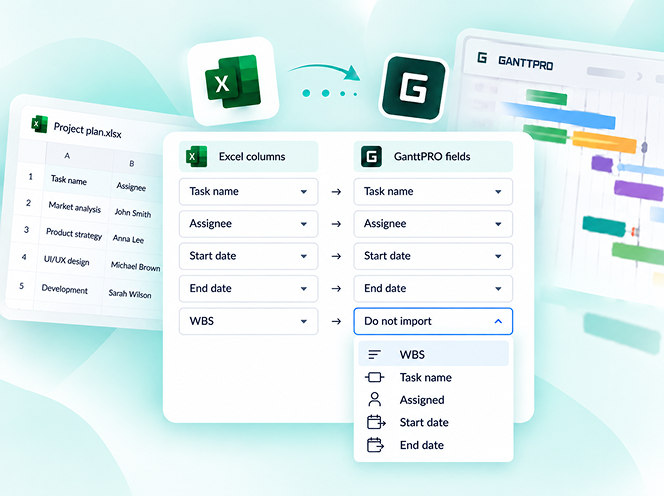
Custom fields import from Excel: Text, Number, and Date. Recalculation of task duration after changes in resource's calendar. API update: now, you can create parent tasks. Integration with JIRA has been improved. Overall performance has been improved.


Help us make GanttPRO better!
We work hard on new rights, roles, and groups. If you have encountered any inconvenience in making your workflow in GanttPRO, drop us a line at stas@ganttpro.com. We are looking forward to your feedback.

Introducing new features!
Expanding/Collapsing tasks on a project and project portfolio levels. Possibility to choose "Do not display" task names on the chart. Possibility to choose a way to depict closed tasks: strikethrough or grayed out. Redesign of project and group of tasks bars. Manual date entry in the grid.


Introducing the "Predecessor" column!
Meet Predecessor, a new column that will help you quickly create, manage, and navigate through dependencies right from the grid.


We improved GanttPRO in the December release!
Filters by overdue tasks. Quick jump to specific projects from project portfolios. Project color customization in project portfolios.

We improved GanttPRO in the November release!
Portfolio export. Portfolio sharing with Public URL. The Korean language.


We improved GanttPRO in the July release!
Auto scheduling improvement. Real-time collaboration improvement. Ability to change the columns order with drag & drop in the project grid except for the "Task name" column. Your templates save most of the project settings except for calendars and skins. Ability to export resource workload to xlsx. Overall performance improvement.



Zaktualizowana integracja z Jira
Nowe pole niestandardowe Formuła
Podziel zadania
Zadania cykliczne